A buyer wants 2,000 bags with their logo printed on them. Before accepting the order, you need to confirm the material, dimensions, print, packing and destination.
Another buyer wants to reorder ten cartons of a standard item at an agreed trade price. Your team already knows the product, pack size and delivery arrangement.
Both buyers want to buy. They need different next steps.
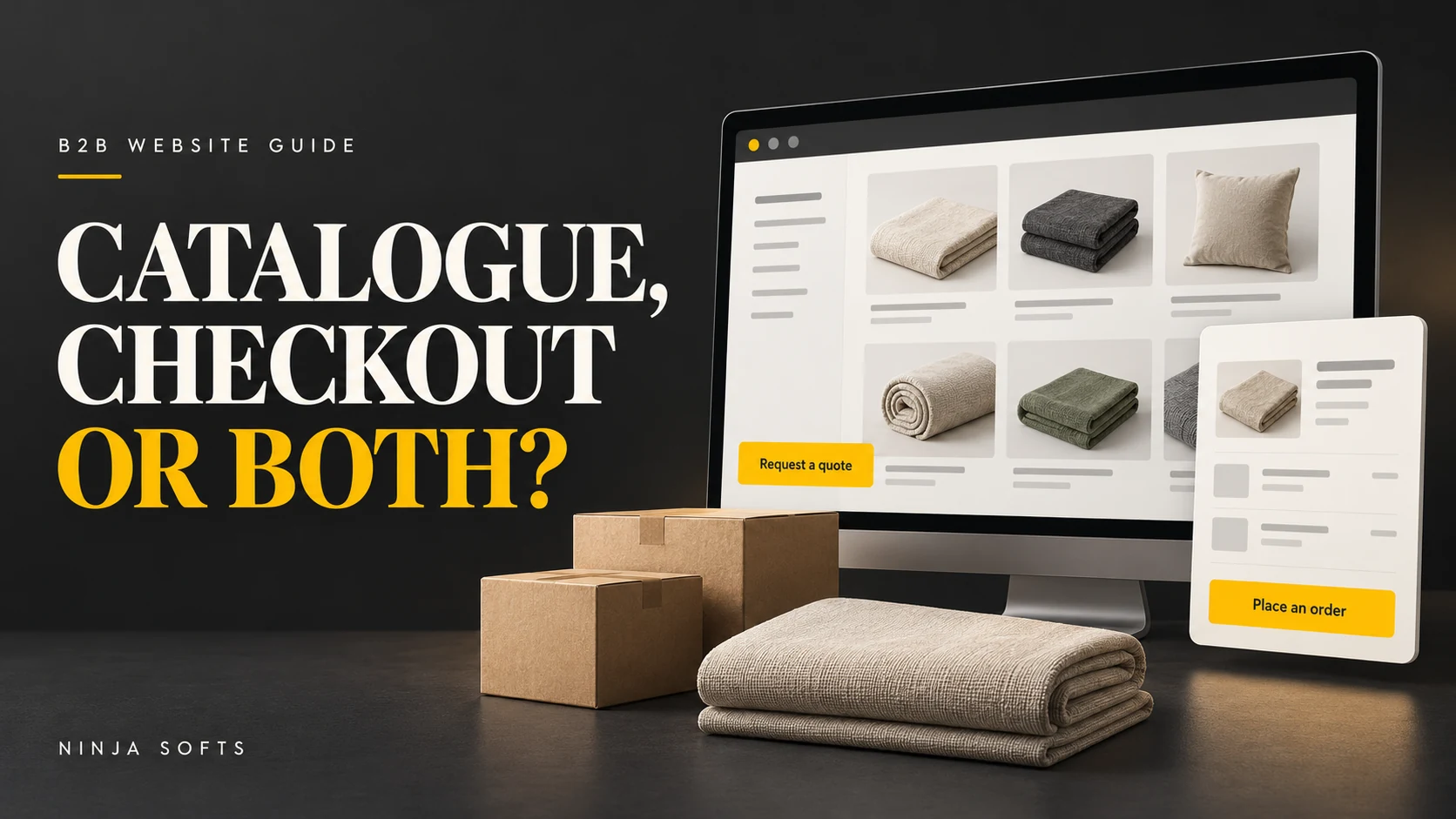
That is the decision behind an enquiry catalogue, online checkout or a hybrid website. Start with what your team must confirm before accepting an order, then design the website around it.
The quick answer
- Choose an enquiry catalogue when specifications, pricing, production or delivery need review.
- Choose checkout when an order can follow defined product, quantity, pricing, payment and delivery rules.
- Choose a hybrid when the right route changes by product or customer.
This guide is for manufacturers, exporters and wholesale teams planning a new website or questioning whether the current one fits their sales process. Use the examples and worksheet to decide what to build first and what a proposal should cover.
Take the worksheet: Download the two-page B2B website decision worksheet (PDF). No email address is required.
Start with a five-minute check of three real orders
Choose a product family and look at three recent orders. For each question below, write defined, needs review or varies.
- Specification: can the buyer select the correct product and options without a technical discussion?
- Price: can the website show the price that applies to this buyer and quantity?
- Quantities: are minimums, pack sizes and ordering increments clear?
- Availability: can you communicate stock or production timing reliably?
- Delivery: is there a workable delivery, collection or delivery-review process?
- Acceptance and payment: does the buyer know what happens after submitting the order?
Read the pattern rather than adding up a score. If important details need review, an enquiry-led route may be the sensible starting point. If routine orders have defined rules, assess checkout. If the answers vary, separate the product or customer groups and map a hybrid.
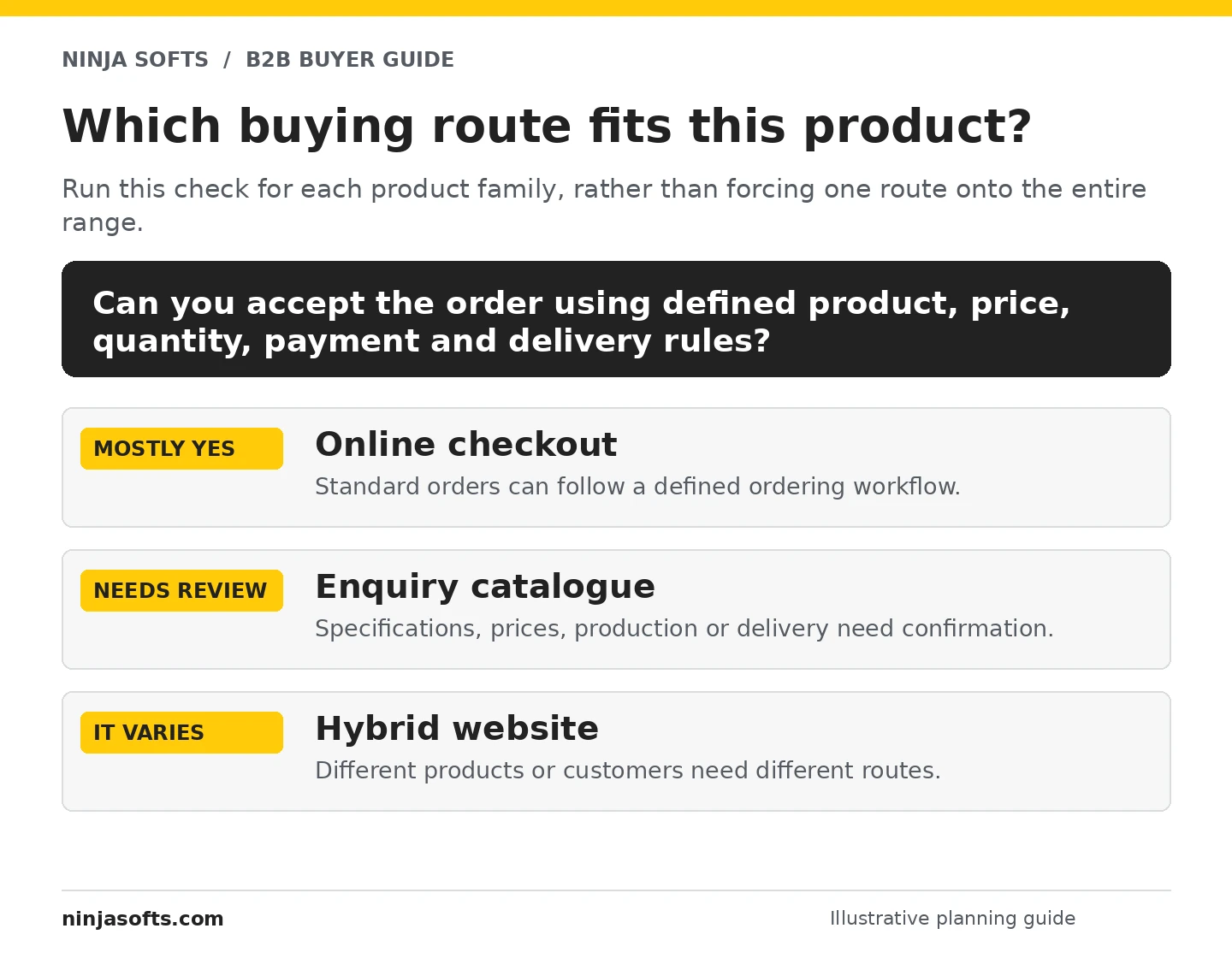
Apply this check to each meaningful part of your range. A company can sell samples through checkout, quote custom production and give approved customers a separate reorder route.
What does each website model actually do?
An enquiry-led catalogue helps buyers prepare a useful request
Buyers browse the range, check product information and send a quotation request. Your team reviews the requirement before preparing an offer.
A useful catalogue can include structured categories, product references, search, specifications, downloads and a multi-product quotation list.
Typical journey: find the product → check the details → describe the requirement → receive the next step from your team.
Checkout turns defined rules into an ordering workflow
The buyer selects products and quantities, provides order details and submits through a defined process. The business needs a workable way to price, accept and fulfil those orders.
Checkout does not always require immediate card payment. Subject to the platform and configuration, a workflow may support bank transfer, a purchase order, payment terms or an approval stage. The conditions still need to be clear to the buyer.
Typical journey: select the product → follow ordering rules → submit the order → complete the applicable payment or approval step.
A hybrid gives different orders different routes
Standard products may use checkout while custom requirements use a quote request. Approved trade accounts might receive ordering options that guests do not see.
Explain the difference on the product page. A buyer should understand whether the next action requests a quotation, submits an order for review or places an order under the stated conditions.
Three buying situations, worked through
The following scenarios are illustrative. Use the reasoning against your own products and commercial rules.
Example 1: custom-printed textile products
The request: 2,000 cotton tote bags with a buyer’s logo, delivered to the United Kingdom.
What still needs confirmation: fabric, size, colour, print method, artwork, packaging, production availability and delivery arrangements.
A sensible starting route: an enquiry catalogue. The product page explains the available options and order requirements. The quotation request preserves the product reference, quantity, destination and customisation details.
Include in the scope: a quotation request that collects the details affecting the offer before your team confirms the price.
Example 2: repeat wholesale orders in fixed cartons
The request: an approved customer reorders ten cartons of the same standard item.
What is already defined: SKU, carton quantity, account price and the normal delivery or collection arrangement.
A sensible route to assess: checkout or an approved-customer ordering portal. Confirm how the correct prices appear, how quantities are validated and how availability or delivery exceptions are handled.
Include in the scope: the account prices, stock data, quantity rules and payment terms needed to support this ordering process.
Example 3: standard stock and made-to-order industrial parts
The request: some buyers need a standard replacement part; others need a modified component or a part made to a drawing.
A sensible route: a hybrid. Suitable standard items can follow checkout rules. Modified parts follow a specification and quotation journey.
What to define: the compatibility information a buyer needs, which products can be ordered directly, and which requests require review. This distinction belongs in the catalogue structure and the development scope.
The differences that affect the project
| Area | Enquiry catalogue | Checkout |
|---|---|---|
| Pricing | Prepared after reviewing the request. | Provided through defined rules. |
| Product details | Help the team assess the requirement. | Support correct product selection and ordering. |
| Quantity rules | Explained and reviewed during quoting. | Validated in the ordering workflow. |
| Delivery | Can be priced or arranged after review. | Needs a clear fulfilment or review route. |
| Sales operations | Enquiry ownership, quotations and follow-up. | Orders, payment status and exceptions. |
A hybrid combines selected parts of both. It adds access, pricing and routing rules that need their own configuration and testing.
Build a product page that answers the buying questions
A buyer should be able to judge whether the product is relevant before sending an enquiry. Use the following blueprint to review your own product pages.
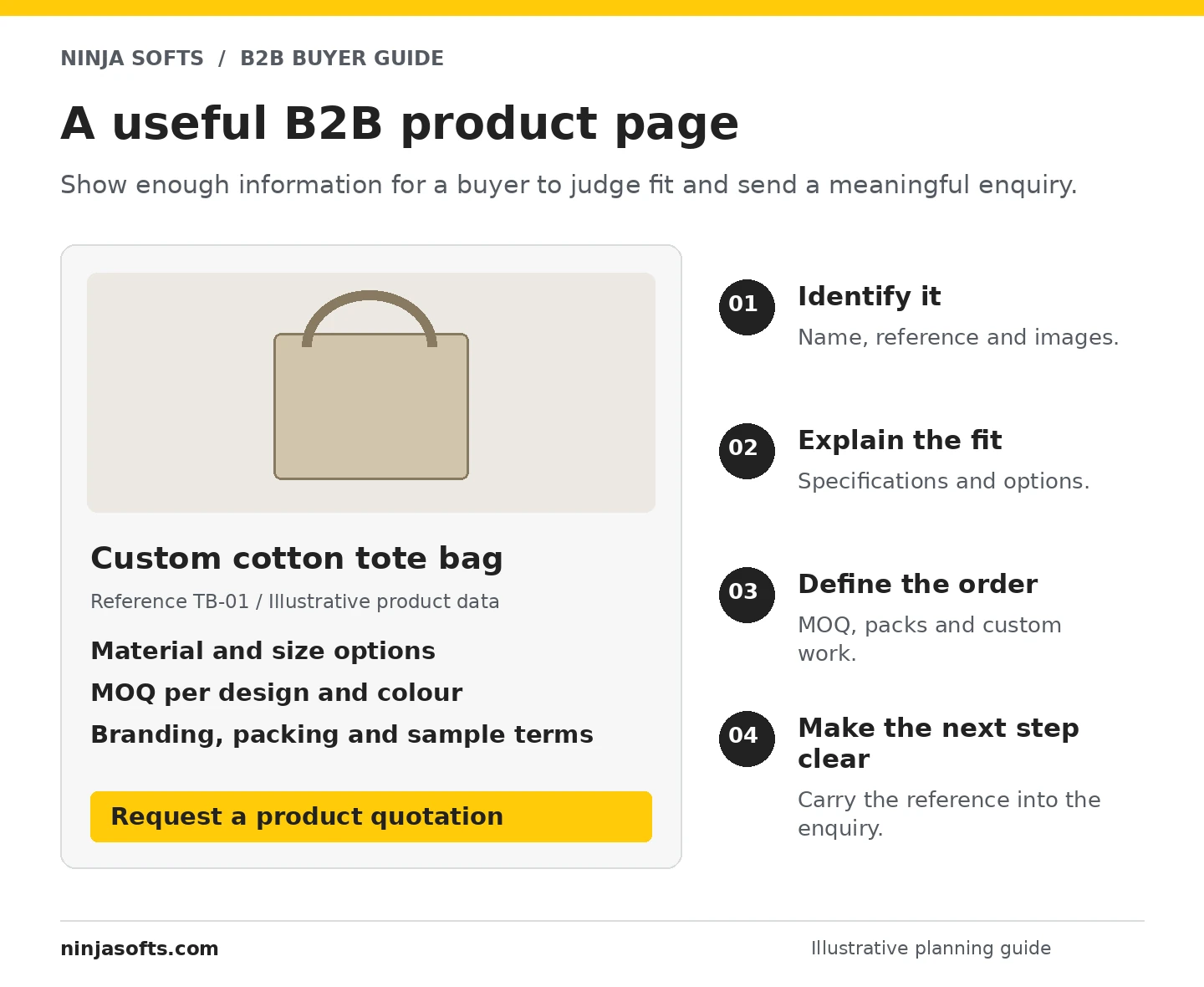
- Identify the product. Use a clear name, reference or model number and useful images.
- Explain suitability. Show relevant materials, dimensions, sizes, capacity, compatibility or other selection criteria.
- Describe the options. Distinguish standard variants from custom work that requires confirmation.
- State the order requirements. Explain MOQ, packs, samples and how availability or lead time is confirmed.
- Provide supporting information. Add useful specification sheets and relevant, verified certificates where appropriate.
- Make the next step clear. Use an enquiry, quote request, trade application or ordering action suited to that product.
Be specific about MOQ. “Minimum 500 units” is incomplete if the minimum actually applies to each colour or design. The number here is illustrative; publish your actual rule, including what the minimum applies to.
Make important conditions visible. Tell buyers if the displayed price is indicative, if freight is confirmed separately, or if custom production needs approval. Your team should approve the wording and the commercial information.
A downloadable PDF can support the product page. Keep the key selection and order information available on the website too, so buyers can evaluate the range without opening a document for every item.
Collect a quotation brief your team can act on
Use the initial form to move the conversation forward. Ask for the information needed to assess this request, then collect additional details when they become relevant.
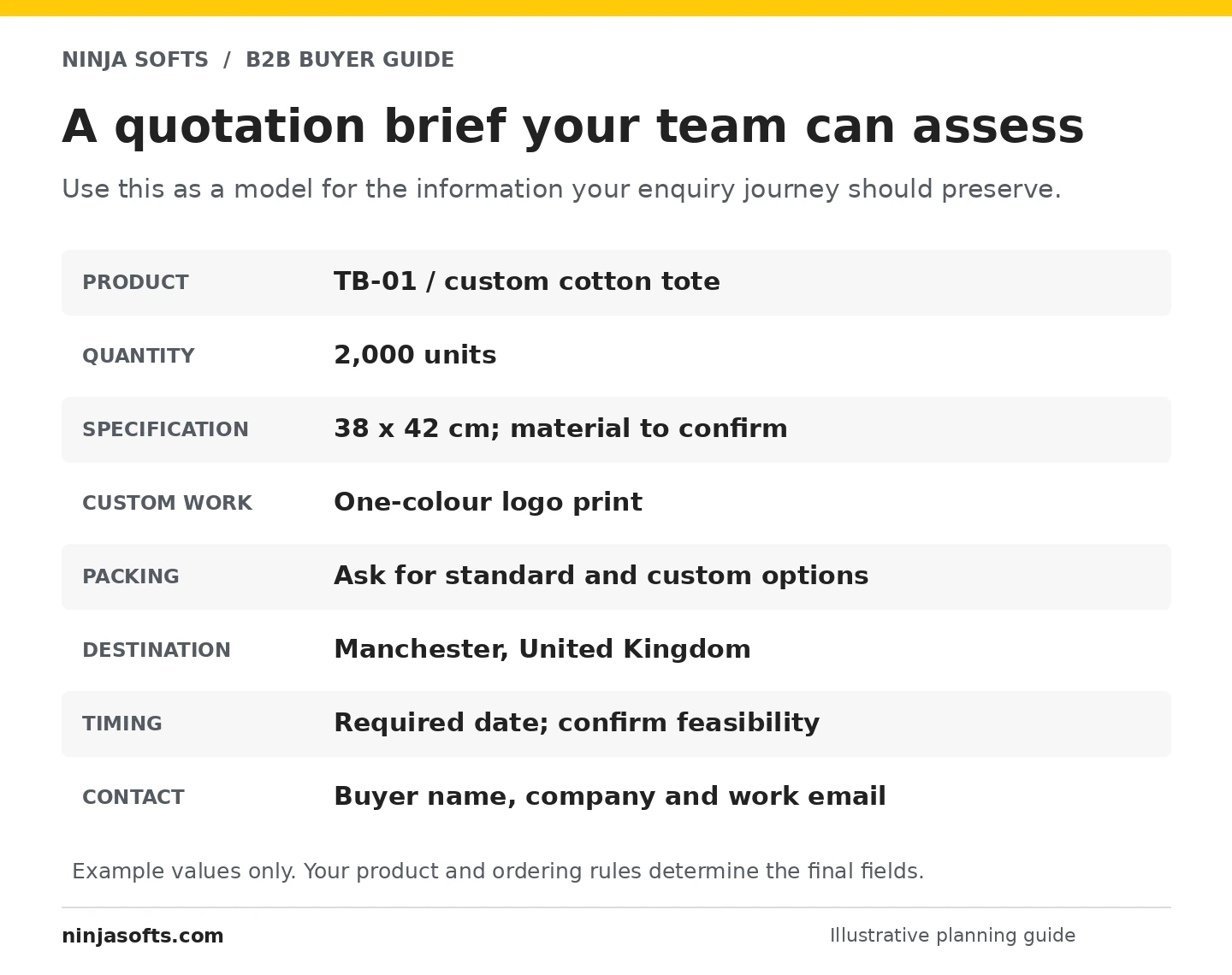
Example enquiry text a buyer could send:
Please quote for product TB-01, approximately 2,000 units, size 38 × 42 cm, with a one-colour logo print. Delivery would be to Manchester, United Kingdom. Please confirm material options, minimum quantities, packing, samples and a feasible lead time. We can provide the artwork for review.
The details above are sample data. Your own request might need a drawing, size breakdown, material grade, delivery postcode or another field that changes the quotation.
The website should preserve the context. Where included in the build, carry the selected product reference into the request instead of asking the buyer to type it again. For a quotation list, agree the information attached to every selected item.
Decide what happens after submission:
- Which person or team receives the request?
- What acknowledgement does the buyer receive?
- Where is the enquiry recorded and who owns the follow-up?
- What information is checked before preparing the quote?
- How are missed notifications or incomplete requests handled?
File uploads, spam protection, email delivery and any CRM connection need to be part of the scope. A WhatsApp option can offer another contact route, but the product and requirement details still need to reach the person handling the enquiry.
Decide what guests and trade customers should see
Public prices are useful when buyers can rely on the price and its conditions. If pricing depends on a specification or an individual trade agreement, explain how the buyer obtains it.
If you restrict prices or ordering, define the access process:
- Guest: what can they browse, download or enquire about?
- Applicant: what information is required to request trade access?
- Approved customer: which prices, products and ordering options apply?
Keep distributor applications distinct from routine product enquiries. A potential distributor may need to explain its markets, channels and intended relationship; a buyer asking about one product may not need that application process.
Choose the platform after you define the workflow
A WordPress catalogue can bring company content, products and enquiries together. WooCommerce can be considered for store features, with suitable extensions or custom work assessed for quotation requests, account rules and quantity requirements.
Shopify is another option for an ordering workflow. Check the current plan, B2B features, app requirements and limitations against the actual brief. Payment-provider availability also depends on the business and its markets.
Ask for a fit check using your difficult cases. Can the proposed setup handle a minimum per colour, different trade prices, a quote-only product, or a delivery address outside the standard area? A general feature list does not answer all of those questions.
If stock, prices or customer details must connect to existing software, identify which system owns each record and the direction the data needs to move. API access, connectors and compatibility need review before an integration is promised.
For more context, explore our ecommerce development approach and custom software and integration services. Our manufacturer and exporter website service brings the catalogue, specification and enquiry requirements together.
Choose a useful first phase and compare proposals properly
Choose the first buyer journey to launch, then confirm what later phases would require.
First phase: a structured catalogue and enquiry route
Define the company pages, product templates, included product quantities, specifications, approved assets and a tested enquiry route. Confirm who prepares the product data and who handles requests after launch.
Additional workflows: quotation lists and trade applications
Add these where they solve a real buying need. Specify product selection, quantities, required fields, approvals, notifications and how the sales team records the request.
Ordering: checkout or approved-customer purchasing
Confirm pricing, quantities, access, payment, delivery and order acceptance, alongside the content and systems needed to support them. If checkout is planned for later, include that direction when choosing the initial platform and data structure.
Ask every proposal to identify:
- Pages, templates, products and variants included.
- Copy, images, specifications and data-preparation responsibilities.
- Exact enquiry or ordering behaviour.
- Licences, subscriptions and other third-party costs.
- Migration and integration work, where applicable.
- Review stages, acceptance checks, handover and ownership arrangements.
- Ongoing hosting, maintenance and change responsibilities.
Compare those details before comparing headline prices. A build with ten prepared products and a basic form is a different scope from a multilingual catalogue with thousands of variants and trade pricing.
A real wholesale website example

Ninja Softs redesigned the website for Junior Kids UK, a childrenswear wholesaler. The published story describes the use of Elementor Pro, a staging workflow and a later client-requested hosting migration.
The example is relevant because wholesale buyers still need a clear product presentation and a considered browsing experience. Your own pricing, account and ordering rules need to be confirmed separately.
Read the Junior Kids project story →
Copy this brief before requesting an estimate
You can use this with your own team or any developer. Replace the prompts with the details you know; flag the decisions that still need review.
We are planning a B2B website for: [company, product range and target buyers].
Our first priority is: [catalogue enquiries / standard orders / a defined combination].
Our catalogue contains: [approximate products, variants and languages].
Before accepting an order, we confirm: [specifications, MOQ, price, production, payment and delivery details].
The website should collect or support:
.We already use: [current website, inventory, POS, CRM or accounting software].
We can provide: [approved copy, images, product data and documents].
Our timing and budget range are: [details or the assumptions we need help assessing].
Download the printable worksheet (PDF) if you want a structured version to complete with your team.
Measure the sales journey after launch
For a catalogue, record whether enquiries include usable product, quantity and destination information, then follow quotation and order outcomes. For checkout, review completed orders alongside payment failures, fulfilment exceptions and support questions.
Connect those observations with the sales team’s records. A form submission is a request to assess; completed orders and suitable enquiries tell you more than visits alone.
Questions buyers often ask
Can an enquiry catalogue support sales without taking payment?
Yes. It can give buyers the information and route needed to request a quotation. Its usefulness also depends on the offer, relevant traffic and the team’s follow-up. A website alone does not guarantee enquiries or orders.
Should we show prices or ask buyers to enquire?
Use the option that reflects how you actually sell. Where public prices are reliable, explain their conditions. Where review is necessary, explain what affects the quotation and make the request process clear.
Can we add checkout to a catalogue later?
That can be planned, but the later work depends on the initial platform, product structure and ordering requirements. Define the intended direction early and scope the added configuration, content and testing.
Can the website connect to CloudBiz or another business system?
Share the exact software and data requirements. Supported APIs or connectors, permissions and the workflow determine feasibility and cost. A connection should be assessed before it is included in the proposal.
Turn the buying process into the right website brief
Start with three real orders, identify what needs confirmation and choose the first journey to build. The result is a more useful brief for a catalogue, checkout or hybrid website.
If you would like Ninja Softs to help scope it, explore our websites for manufacturers and exporters. Send three example products and explain how you quote or accept orders today. We can clarify the requirements and proposal in writing.
Platform references
Platform capabilities should be checked against the current product, plan and configuration during scoping. Useful primary documentation: B2B for WooCommerce extension documentation and Shopify B2B feature documentation.